
Absence Management System
For absence adjustments after the current date please contact your applicable Payroll Coordinator
.png)
Employee Sign in to AMS using Organization SSO (LRSD Account)
Quick Start how to sign in 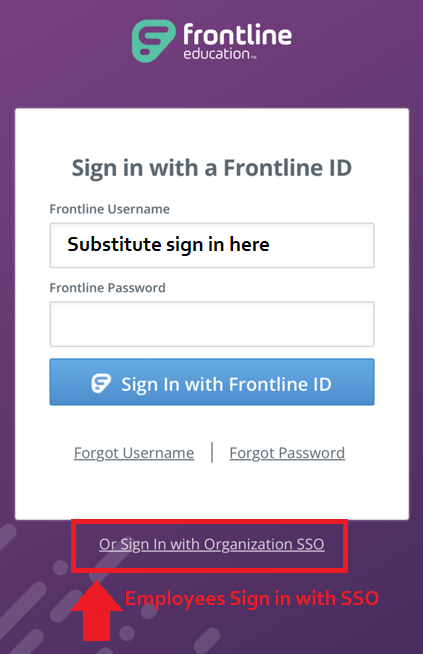
Employee Quick Start
Guide pdf
Create and Absence in the Frontline Mobile App
Substitute Quick Start
Guide pdf
Employees use their LRSD accounts to sign in.
Substitutes will create their own Frontline ID account from their personal email address allowing for across School Divisions access.
All users should get the mobile app. Substitutes should enable app notifications for new jobs as soon as they become available. No need to wait for a call or use the website to find a opening.
Get the Frontline Mobile app for iOS and Android for both Employees and Substitutes
revision 13-JUN-2025